

The Best VPN for Smart TVs
Secure your streaming experience on popular devices such as Roku, Firestick, Apple TV, Samsung TV, Chromecast, Nvidia Shield, Android TV, and more.
- Watch your favorite movies and shows in HD
- Smooth streaming without any interruptions
- 30-day money-back guarantee
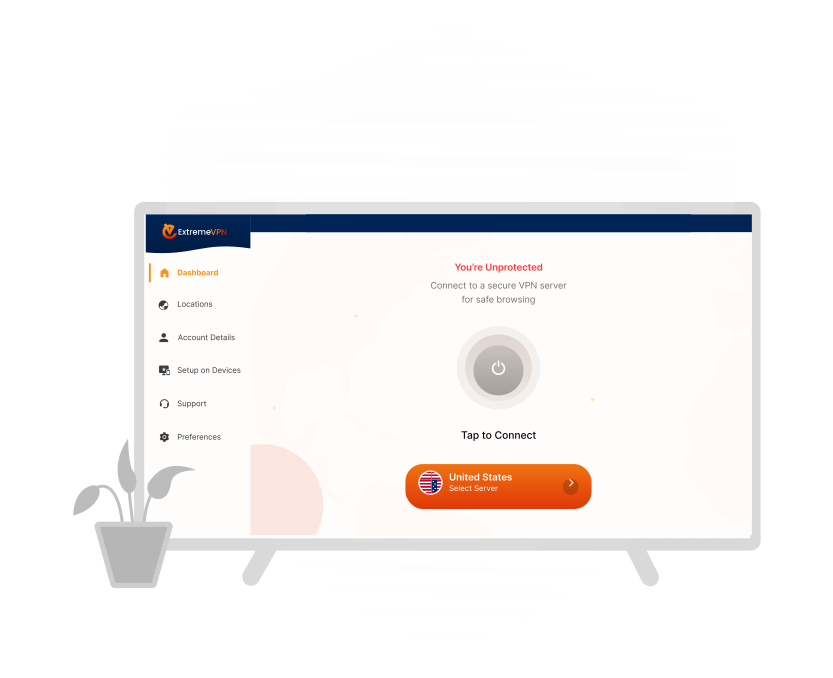
Protect Your Privacy and Security on Smart TVs with ExtremeVPN
Smart TVs are popular these days, and they are all internet-connected. While watching the smart TV, the internet connection allows streaming services and other apps to transmit various data types. Your internet service provider (ISP) also monitors and gathers information about what you’re seeing. The ISP is constantly keen to sell your information to third parties targeting you with advertisements.
A high-quality, well-tested, dependable ExtremeVPN can provide peace of mind by encrypting your data and concealing your viewing habits. Another advantage of using ExtremeVPN is that it allows viewing content unavailable in your region.
ExtremeVPN will provide excellent security, fast bandwidth, the ability to unblock streaming services, and cross-platform support for your smart TV. Furthermore, smart TVs pose several security hazards like any other internet-connected device. Hackers often target internet-connected devices to compromise if they are not adequately protected.
Cybercriminals or government agencies can infiltrate your smart TV to access your watching data, intercept your information, and more. ExtremeVPN can reduce these hazards and keep those prying eyes away from your watching habits.
Get a Premium ExtremeVPN Subscription on Any Smart TV
How to Set up ExtremeVPN for Your Smart TV?
Most Smart TVs come pre-installed with many apps, but you may be unable to access them all due to geographical restrictions. Furthermore, you may discover that some apps you want to install may not be available in your country’s app store. We have resolved this issue because you can change your location in minutes by connecting to ExtremeVPN.
Although each Smart TV is unique, some enable unrestricted access to prominent app stores, while others do not. Some Smart TVs only come with a few pre-approved apps, making it impossible to add additional ones. If you’ve had trouble installing apps on your Smart TV in the past, don’t worry; we’ll walk you through the steps. Installing ExtremeVPN on your Smart TV lets you safely stream and utilize geo-blocked apps from anywhere.
Download from App Play Stores
Depending on the model of your Smart TV, newer models tend to use Android, which makes installing an app straightforward. As a result, installing ExtremeVPN on a Smart TV is essentially the same as installing it on a phone or tablet.

Step 1
To begin with, purchase a premium edition of ExtremeVPN. Then, on your Smart TV, open the Google Play Store app, search for ExtremeVPN, and install the application.

Step 2
Log in and connect to a server from a country.

Step 3
Finally, launch the geo-locked app you want to stream and watch the video. It should start immediately, but we recommend emptying the app’s cache or trying a different server if it doesn’t.